How to move a Minecraft world to a server
A world you built in single-player, or on a server somewhere else, can carry on as a server your friends join. On Cubepals you hand over the world as it is, a folder or a zip, and the server is made to fit it: the same Minecraft, the same game mode and difficulty, its name and its seed. For Minecraft: Java Edition.
From single-player
- Close the world in Minecraft, so nothing is still writing to it.
- On the create page, choose Your own world.
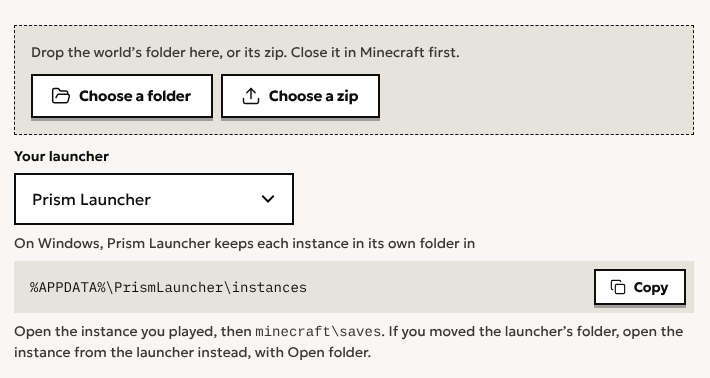
- Drop the world’s folder, or a zip of it, or use Choose a folder. Minecraft keeps single-player worlds in
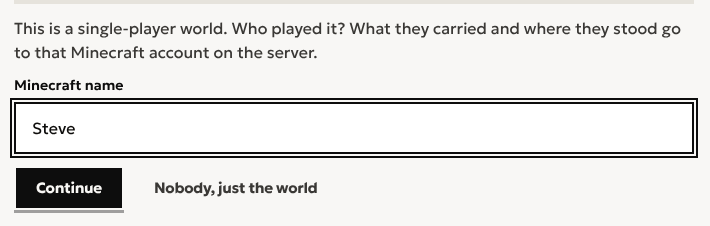
%APPDATA%\.minecraft\saveson Windows,~/Library/Application Support/minecraft/saveson macOS and~/.minecraft/saveson Linux. The page shows the one for your computer, and for the launcher you pick: CurseForge, the Modrinth App and Prism Launcher keep each instance’s worlds in that instance’s own folder. - Say which Minecraft account played it. In single-player, what you carry and where you stand are kept in the world itself, and Cubepals gives them to that account on the server, so you arrive with your things.
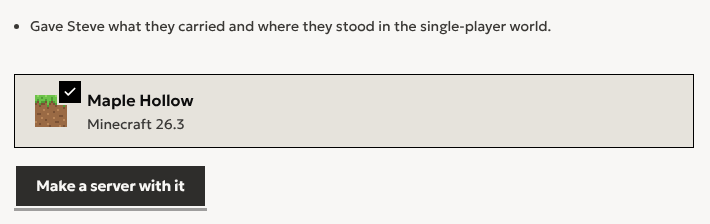
- Choose Make a server with it, then who’s playing and a name, as for any server.
From another host or a server’s folder
Download your server’s files from the host you’re leaving, as a zip, and drop it in the same way. Cubepals finds the world its server.properties names, with its Nether and End, whether the server kept them inside the world or beside it, as Paper does.
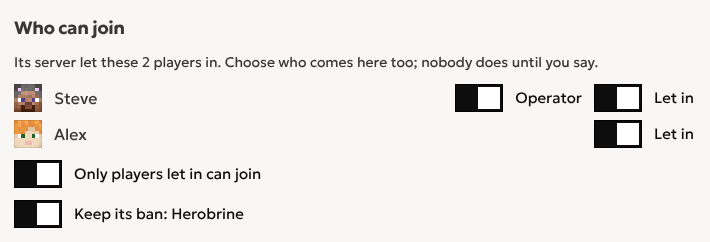
- Who could join comes with it. Its whitelist, operators and bans are listed, and you choose who comes along. Nobody is let in until you say, and the server starts open to anyone. Turn on its whitelist to let in only the players you chose. Its bans come unless you say not.
- Players on an offline-mode server keep their things. Such a server names each player’s files by a made-up ID. Cubepals looks each name up as a Minecraft account and moves their inventory, stats and advancements to it. A name no account has is said, and its files stay.
- What isn’t the world is left out, such as the server’s jar and its logs, and the page lists what was.
A world played with mods
A world played with mods only opens whole on a server running the same mods: plain Minecraft would lose their blocks and items. Cubepals can tell from the world, and asks for the pack it was played with. Find it by name, or drop its file, and the server is made from that pack, starting on your world. A server’s folder or a launcher’s export that has its mods in it is read as both: the pack and the world, from one file. Mods and modpacks come with Plus; playing a modpack with friends covers the rest.
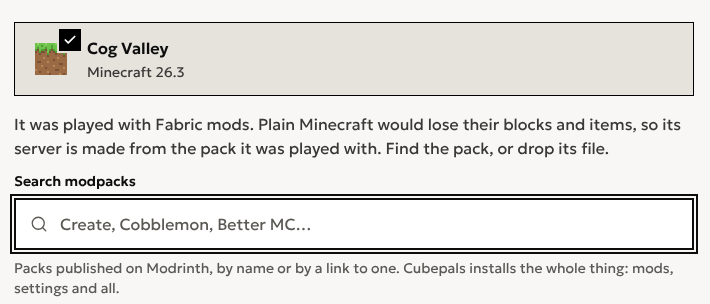
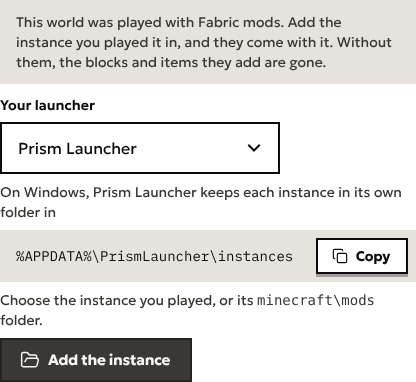
Bringing it to a server you already have, its own mods come with it: those of the instance you played it in. Before anything is sent, the page says the world was played with mods and where your launcher keeps that instance. Choose the instance, or just its mods folder, and they go up with the world in one upload. Choosing the whole instance from the start works too: only the world you pick and its mods are sent, and the rest stays on your computer. Upload without them and the page asks again once the world is read.
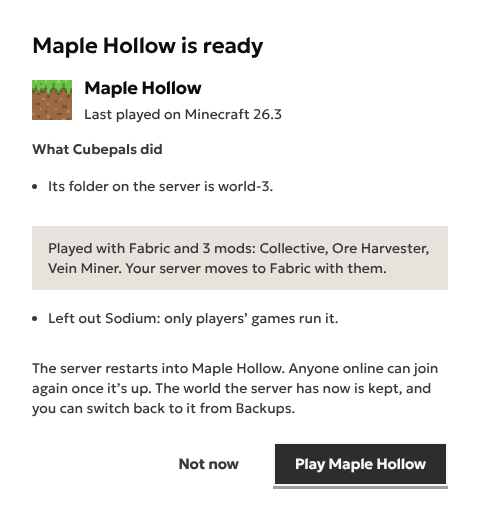
Once the world is read, the page names the mods that come with it and those it leaves out, such as Sodium, which only players’ games run. Play moves the server to the loader the world was played with, with its mods and what they need, in the same step.
Into a server you already have
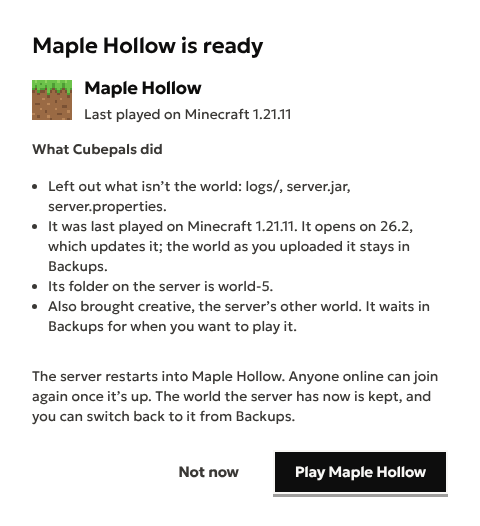
On a server’s World page, use Bring a world. Cubepals brings the world in and shows it to you by its name, with what it did, and Play switches the server to it. The world the server had is kept, and you can switch back to it from Backups. Choose Not now and your world waits on the Backups page, under its name, until you play it. A server’s folder holding more than one world, as servers with several worlds do, brings each one, and the others wait there too. Made into a new server, it starts on the world its server.properties names; upload the same file on its Backups page to keep the others.
Which Minecraft it runs
The server runs the Minecraft the world was last played on. Where Cubepals doesn’t offer that one, it runs the next one it does, and says so. Opening a world on a newer Minecraft updates it, which can’t be undone. A world from a newer Minecraft than any Cubepals offers, or from before 1.9, isn’t opened, and the page says why.
Questions
How big can the world be?
Up to 4 GB as you upload it, and it has to fit on the server once unpacked. The page says so before anything is made if it won’t.
Can I bring a Bedrock world?
No. A Cubepals server plays Java worlds, and can’t open a Bedrock save.
Is my upload kept?
On a server you have, the world as you uploaded it stays on its Backups page, played or not, until the date it shows there. For a new server, it’s kept for a month while you make the server.
Where do I start?
On the create page. Making a server for friends goes through it from the top.
Start a world with your friends
Minecraft server hosting for friends. Send them the address and they’re in. Start with a free trial, no card needed.
Create a server