How to make a Minecraft server for friends
This is for a group of friends who play Minecraft: Java Edition and want a world of their own to come back to. At the end you’ll have an address to send them, and a server that’s there whenever one of them wants to play.
The three ways to do it
On your own computer. Mojang’s server software is free. You install Java, run it, and open a port on your router so friends outside your home can reach it. It works, but your computer has to stay on whenever anyone plays, and the router step is where most people get stuck (why port forwarding goes wrong).
On a host you set up yourself. You rent a server and choose its memory, its version, its software and its settings. Nothing runs on your computer, but every choice is yours to get right.
On a host that makes those choices for you. You say what you want to play and who’s playing, and the rest is decided. Cubepals is this kind: the rest of this guide shows how it goes.
Making one on Cubepals, step by step
Sign up, then Create a server. It’s one page with a few questions, and each answer opens the next.
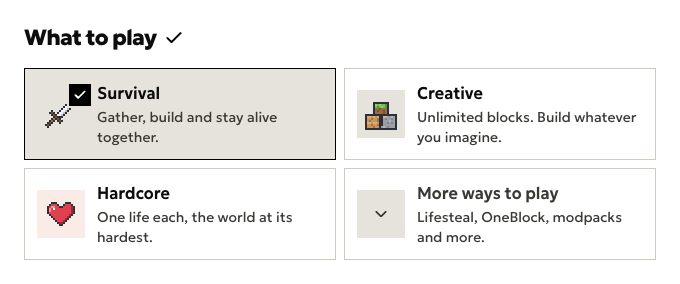
- What to play. Survival, Creative or Hardcore, or open More ways to play for the rest: Smoother survival, game modes, and modpacks. Pick one and the Minecraft version, the server software and its settings are chosen to match. The game modes include Lifesteal, Manhunt and Skyblock.
- Who’s playing. How many friends play at once. Bigger groups get a bigger server. On the free trial there’s one size, so this question doesn’t appear.
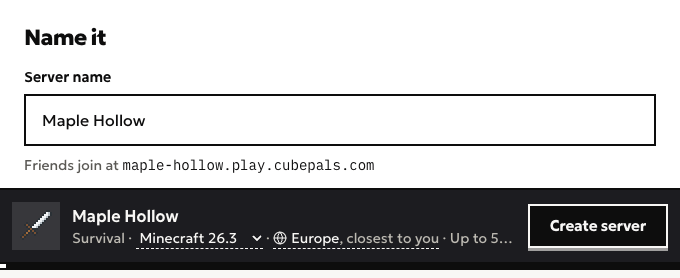
- Name it. Type a server name. Under it you’ll see the address your friends will use, made from the name.
- Press Create server. While it builds, the page shows the address to send your friends.
How your friends join
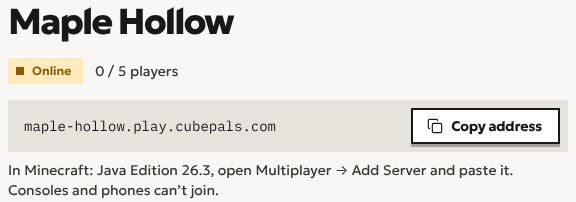
Send them the address. In Minecraft: Java Edition they open Multiplayer, then Add Server, and paste it in. There’s no port to type and no number to remember. Their game needs to be on the same Minecraft version as the server, and the server’s page says which one that is.
They join like any server. A sleeping server is usually back in a couple of seconds. The first start, or one after a change, can take up to a minute, and one resting in storage a couple of minutes.
For friends who are new to it, the ways to play Java with friends covers the rest, from Open to LAN to a server of your own.
Can your friends play without you?
Yes. Nobody has to start the server for them: when one of them joins, it wakes up, and when everyone has gone it goes back to sleep. You don’t need to be online, and your computer doesn’t need to be on. How the sleeping works.
Keeping it to your friends
Out of the box, anyone with the address can join. To keep it to the people you choose, open the server’s Players page. Under Who can join (“Anyone with the address, or only the people you add”), switch on Only people I add can join, then add each friend by their Minecraft name, exactly as it is in the game. Add yourself first.
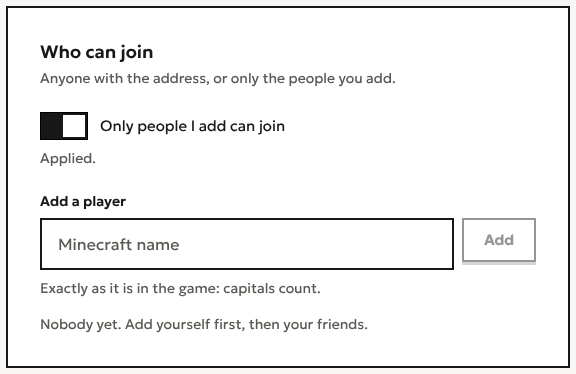
Someone who isn’t on the list is turned away by the game itself, with “You are not whitelisted on this server!”
What it costs
It starts with a free trial: 20 hours in all, at most 2 a day, for up to 5 players, with no card. Hours only count while the server is running, and it sleeps when nobody’s on. Plus adds modpacks, bigger groups and more hours. What a server costs goes through it, and Pricing has the plans side by side.
Questions
Do I need to port forward?
No. Your friends join by the address, and nothing runs on your computer or your router.
Does it work on Bedrock or consoles?
Not yet. Cubepals runs Minecraft: Java Edition, and Bedrock players, on phones or consoles, can’t join a Java server. Bedrock support is coming soon, so friends on phones and tablets can join too.
How many friends can join?
Up to 5 at once on the trial, and up to 100 on Plus.
Start a world with your friends
Minecraft server hosting for friends. Send them the address and they’re in. Start with a free trial, no card needed.
Create a server