How to host a Minecraft server without port forwarding
You’ve started a Minecraft: Java Edition server on your computer, it works for you, and your friends can’t get in. Usually the problem is between your computer and the internet, not in Minecraft.
Why friends can’t join a server on your computer
Your router lets your computer reach the internet, but it doesn’t let the internet reach your computer unless you tell it to. For a Minecraft server that means forwarding a port: the Minecraft Wiki’s server tutorial (opens in a new tab) says you “must port forward for someone outside your network to connect to the server”, and a Java server listens on port 25565 by default. Every router hides the setting somewhere different.
Sometimes it can’t work at all. Many internet providers share one public address between lots of homes, which is called carrier-grade NAT, or CGNAT. Then the router you can change isn’t the one facing the internet. The standard that set aside addresses for it, RFC 6598 (opens in a new tab), notes that some applications “cannot seed content due to the inability to open incoming ports through the CGN”. If your router shows an internet address starting with 100.64 to 100.127, this is probably you.
The ways around it
- A tunnel. playit.gg (opens in a new tab) calls itself “a global proxy that lets you host a server without port forwarding”. You run its program next to your server, and friends join an address it gives you. It has a free tier. Your computer still has to be on for anyone to play.
- A private network between you. Everyone installs the same app, which puts your computers on one network as if you were in the same house. It works, but every friend has to set it up, and your computer still has to be on.
- A server somewhere else. The world lives on a machine that’s always reachable, so there’s no router of yours involved and nobody’s computer has to stay on.
A server with nothing to open
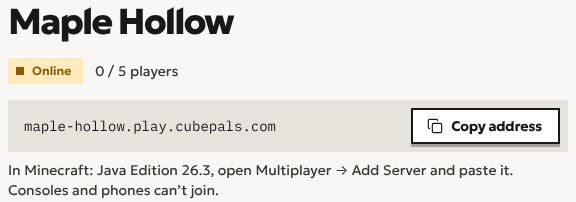
On Cubepals there’s no port and no IP address to share. Your server gets one address made from its name, and your friends type it in. In Minecraft: Java Edition they open Multiplayer, then Add Server, and paste it. They join like any server. If it’s asleep, joining wakes it, usually in a couple of seconds.
Making a server for friends shows the whole thing, and playing Java with friends compares it with the ways that need no server.
Questions
Why can’t my friends join?
Check these, in order. Are they on Java Edition? Bedrock players, on phones and consoles, can’t join a Java server. Is their game on the same Minecraft version as the server? Did they paste the whole address, with nothing missing? If the server is on your own computer, is the port forwarded, and is your provider using CGNAT?
Start a world with your friends
Minecraft server hosting for friends. Send them the address and they’re in. Start with a free trial, no card needed.
Create a server