How to play Minecraft: Java Edition with friends
There are three ways to play Minecraft: Java Edition with friends: in the same house, far apart while one of you hosts, or on a server everyone joins. Which one fits comes down to one question: should your friends be able to play when you’re not on?
On the same Wi-Fi: Open to LAN
If everyone is on the same network, one of you loads a world, opens the pause menu, chooses Open to LAN, then Start LAN World. Everyone else on that network finds it in their Multiplayer list. Nothing to install, nothing to pay, and it only reaches people on the same network.
Far apart, without a server
Some mods let one player host their own world over the internet while they play. Two that people use:
- Essential (opens in a new tab) offers free world hosting: you invite friends into your world from inside the game. Its own guide is plain about the catch: “The host needs to be online because they act as the server.”
- e4mc (opens in a new tab) gives a world you’ve opened to LAN a public address that friends can join from anywhere. It describes itself as “a reverse tunneling reverse proxy for Minecraft”.
Both need a mod loader such as Fabric or NeoForge, and both work only while the host is playing. When you log off, the world goes with you.
Far apart, with a server
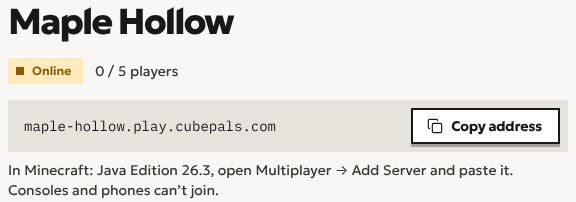
A server holds the world somewhere that isn’t anyone’s computer. Everyone joins the same address, whenever they like, and the world is there whether or not you are. In Java Edition they open Multiplayer, then Add Server, and paste the address.
Do you need a server to play with friends?
No, not to play together. Open to LAN works in one house, and a hosting mod works across the internet, as long as the host is playing. You need a server when your friends should be able to play without you: on different evenings, in different time zones, or after you’ve gone to bed. A server is also where a group’s world stays put when the person who started it moves on.
The quickest way to a server
On Cubepals it’s three decisions: what to play, who’s playing, and a name. Then you send the address. Making a server for friends, step by step walks through it, and what a server costs covers the money. The plans are on Pricing.
Questions
How do we play on different Wi-Fi?
With a hosting mod while the host plays, or with a server that’s always there to join. Hosting a server on your own computer usually means opening a port on your router: hosting without port forwarding explains the ways around it.
Can my friends on Bedrock join?
Not yet. Java Edition and Bedrock Edition don’t play together, so a friend on a phone or a console can’t join a Java server. Bedrock support is coming soon, so friends on phones and tablets can join too.
Do we all need the same version?
Yes. Your game has to be on the same Minecraft version as the server or the world you’re joining.
What about modded?
Everyone needs the same mods as the host or the server. Playing a modpack with friends covers it.
Start a world with your friends
Minecraft server hosting for friends. Send them the address and they’re in. Start with a free trial, no card needed.
Create a server